





 Home
How to Set Up Screen Lock on the MA801?

The MA801 Body Composition Analyzer now features an updated Screen Lock function, previously known as Ads Settings. In addition to playing videos during idle time, the updated function now supports 4-digit PIN protection to help prevent unauthorized access to the device.
Note: Screen Lock function available on devices running firmware v1.0.082 or newer.
How to Enable Screen Lock
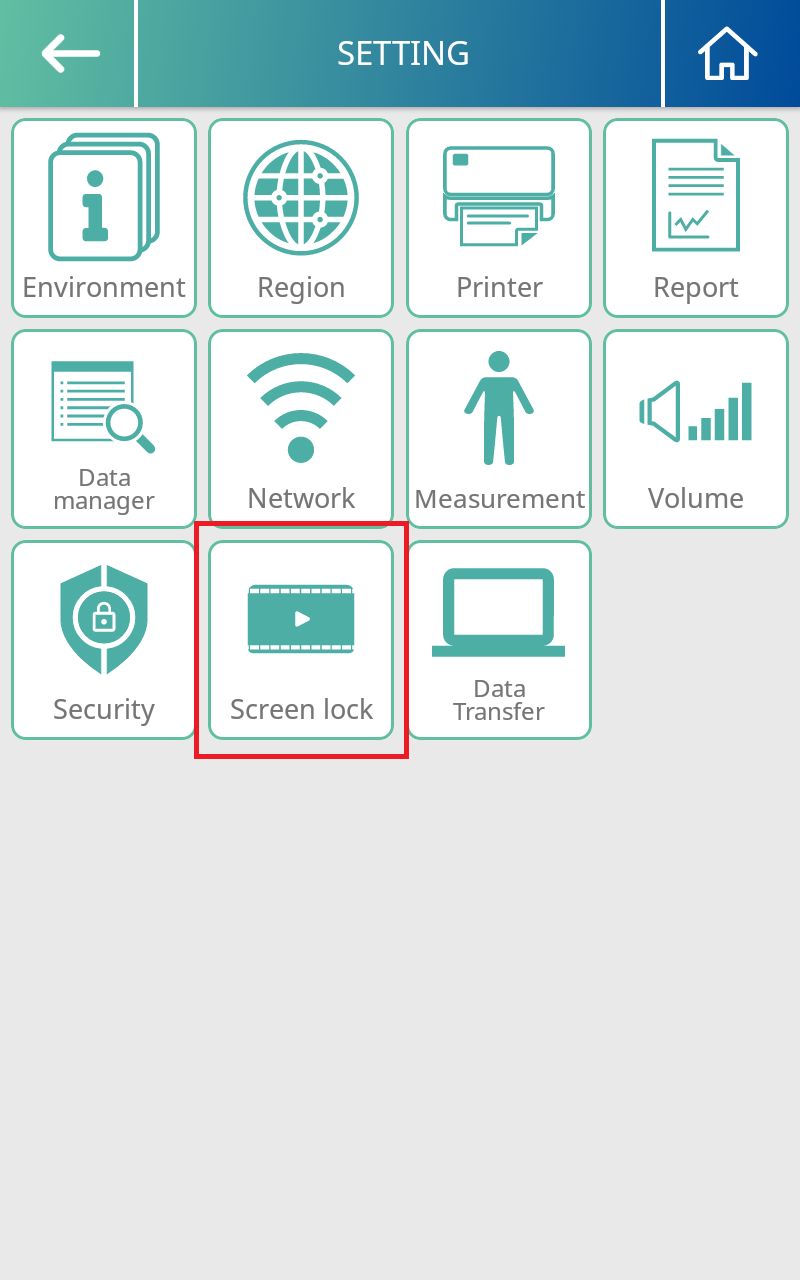
Step 1. Enter Settings MenuGo to Setting > Screen Lock on your MA801.
Step 2. Enable Screen Lock and Set Idle Time
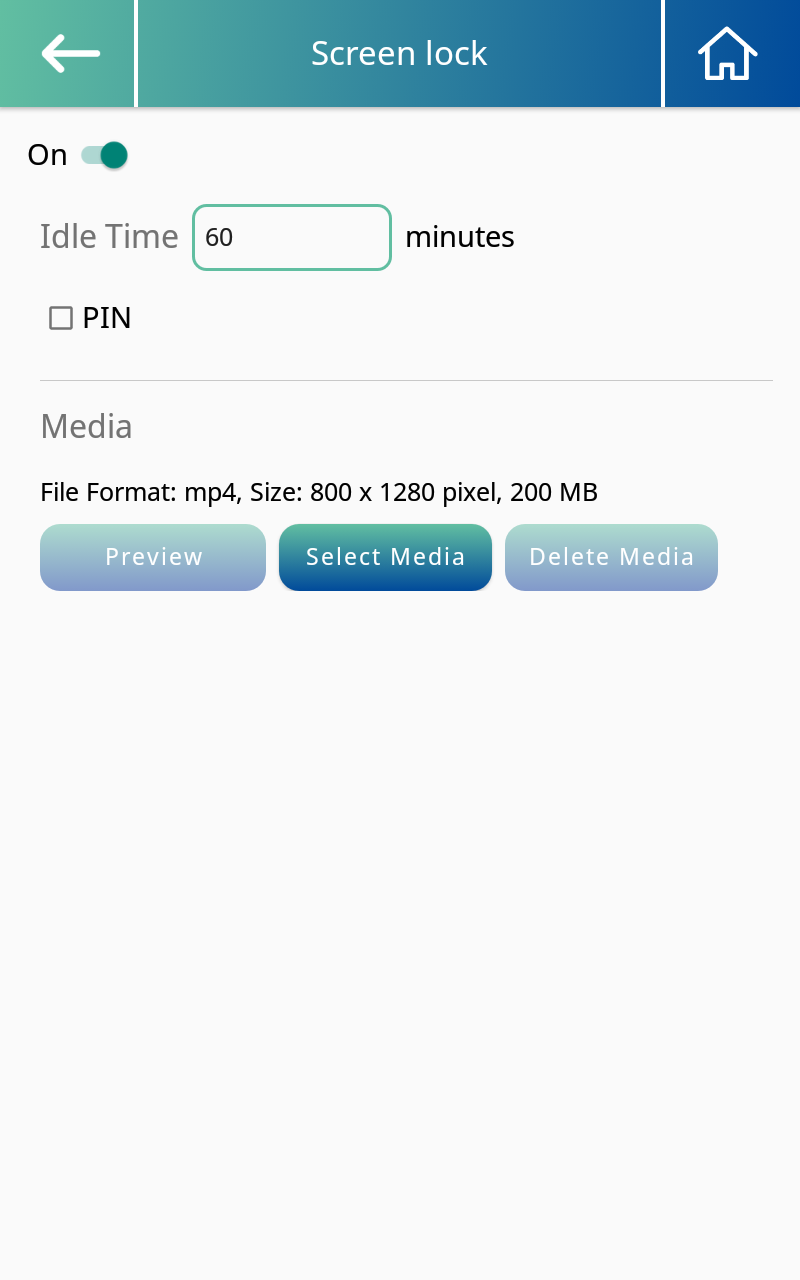
Turn On Screen Lock and enter your preferred idle time (in minutes). The screen will automatically lock after the selected period of inactivity.
Step 3. Set a PIN
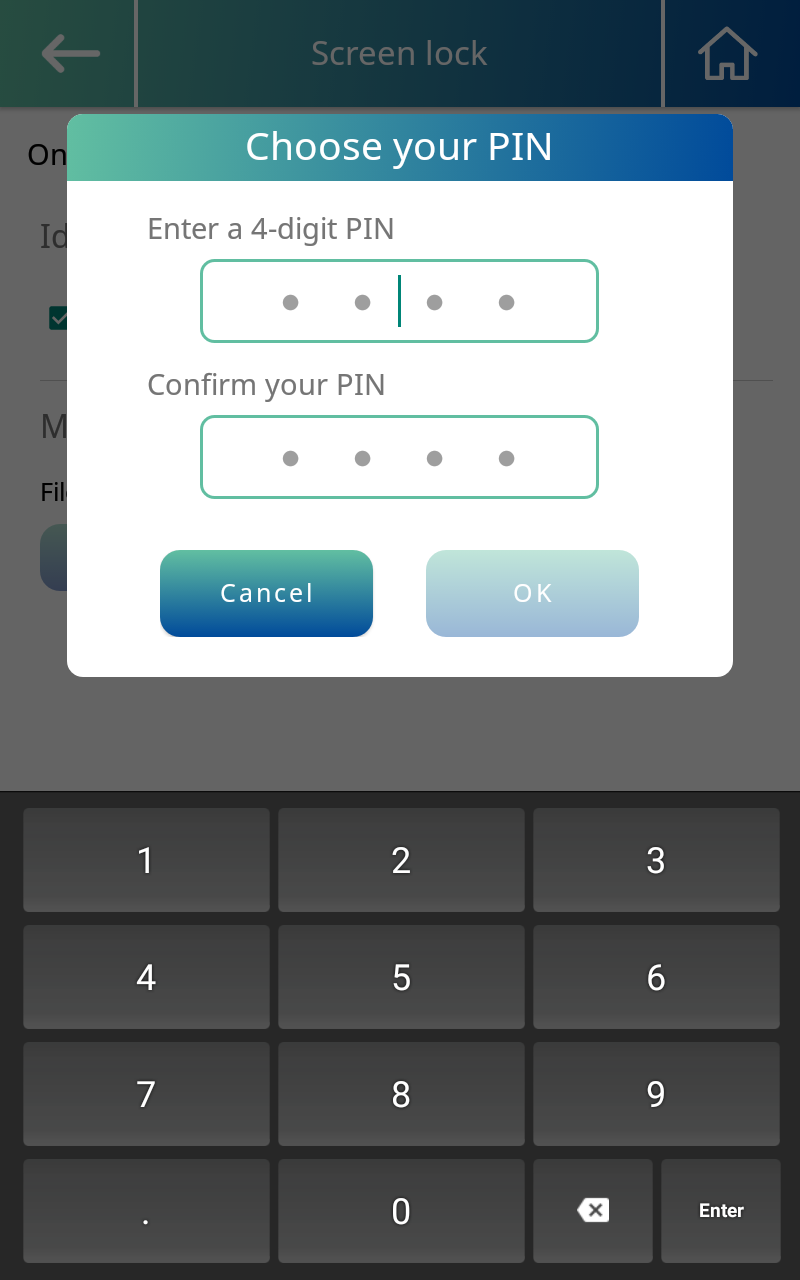
Check PIN to enter and confirm your 4-digit PIN, which can be different from the password used to access device settings.
Once enabled, users must enter the PIN to unlock the screen.
Need help getting started? Contact your Charder sales representative for assistance.