





 Home
Home- Troubleshooting
- Charder Insight Cannot Detect My Device
Charder Insight Cannot Detect My Device
If your MA601/MA801 does not appear to be connected to Charder Insight even after the USB transfer cable has been inserted into the USB ports of both the PC and the device, please check the following:
1) Is the correct (Charder) USB cable being used?
Charder Insight needs to be connected to an MA601/MA801 using the specialized UA-010 Transfer Key Cable. "Normal" USB cables purchased elsewhere will not work properly.
2) Is "Data Transfer" turned on?
If "Data Transfer" is not turned on, then the MA601/MA801 will not connect to Charder Insight.
Enter Settings on device (MA601 used in example)
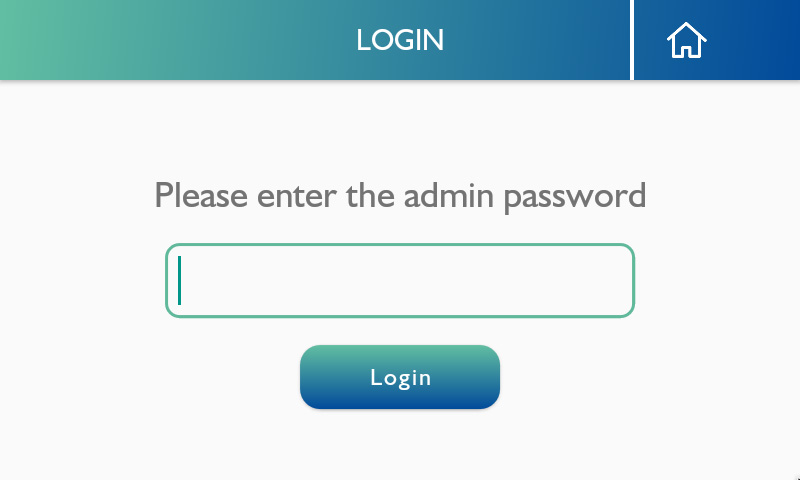
Select "Data Transfer"
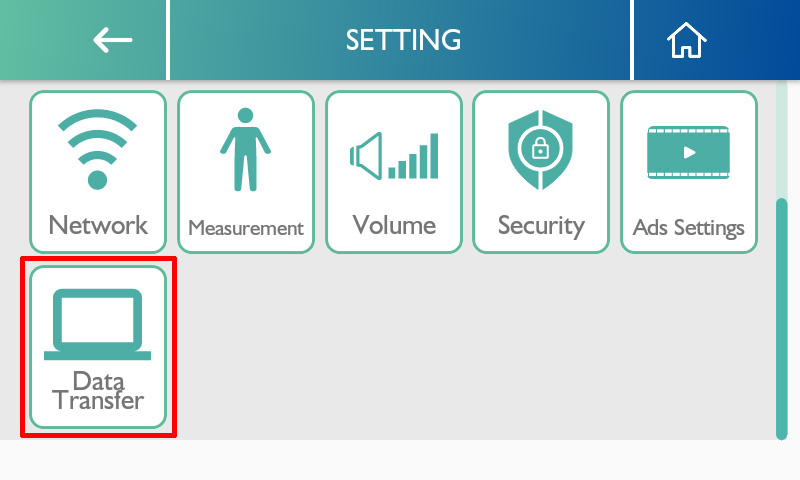
Ensure that settings are as follows:
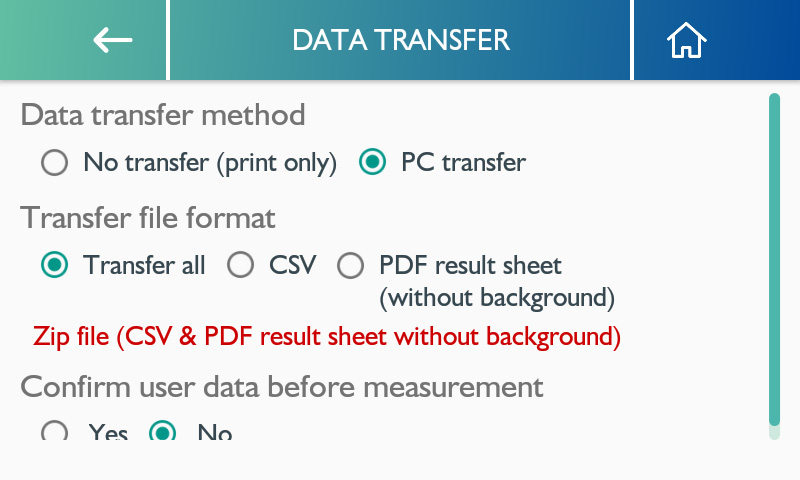
- Data transfer method: PC transfer
- Transfer file format: Transfer all
- Confirm user data before measurement: either option works
If "Yes", then user must press "confirm" on device before stepping onto device for measurement.
If "No", user will be prompted to step onto device for measurement once initiated by PC software.
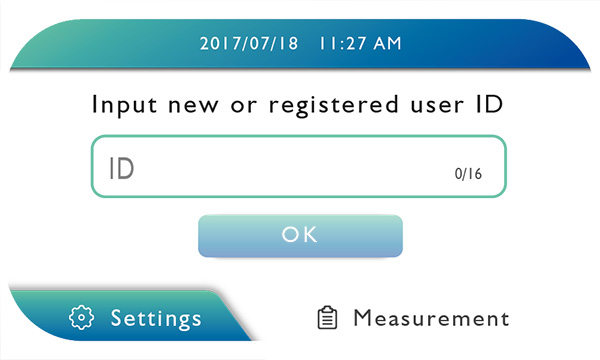
3) Is the MA601/MA801 on the Home Screen?
The device needs to be on the home screen in order to receive user data from Charder Insight and begin measurement. Please ensure that this screen is being displayed on the device's screen when you wish to conduct a scan using Charder Insight.
4) USB driver is not installed
Normally, the drivers for the UA-010 Transfer Key Cable should be installed automatically. However, depending on the PC's security settings, automatic driver installation may be blocked, and the cable will not work properly. To install the drivers, there are several possible methods.
1. Connect PC to internet
If possible, the easiest method is to connect the PC to the internet, and it should automatically attempt to download device drivers.
2. Manually download and install drivers
If the above method does not work, please go to Download page on this website, download USB drivers for Charder Insight, and install manually. An installation guide can be downloaded here.