



 Home
Home- Products
- Platform Scales
- MS7800




- Overview
- Product Specifications
- Product Functions
- Download
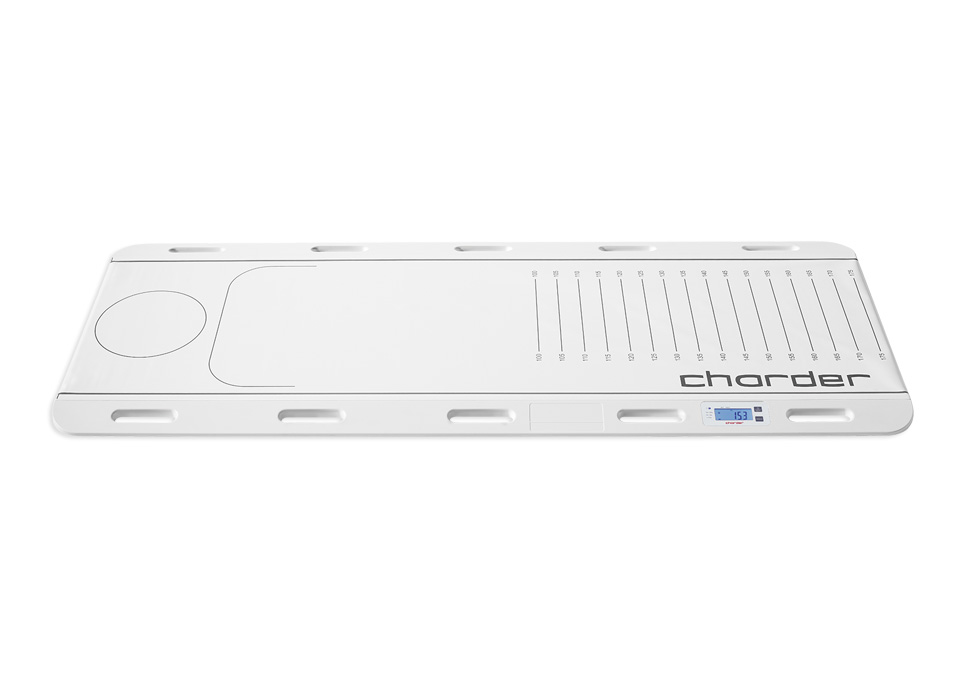
How is the Patient Transfer Scale used?
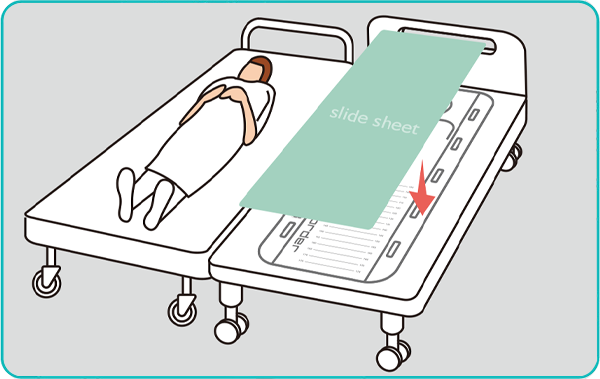
1 Before using the PTS, ensure that trolley/bed are at same height, and that wheels are safely locked.
Place slide sheet on PTS before turning it on.
Place slide sheet on PTS before turning it on.
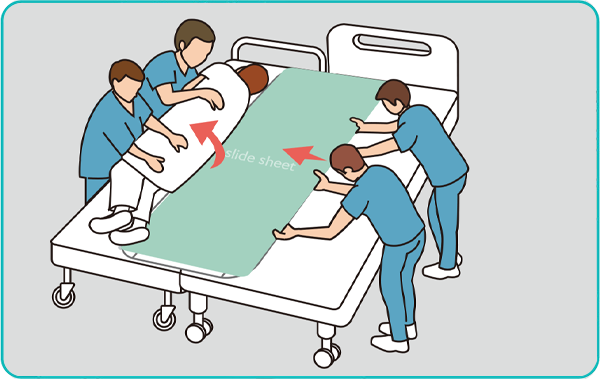
2 Roll patient onto their side, and push PTS so it sits between the trolley / bed under the Patient's spine / hips.
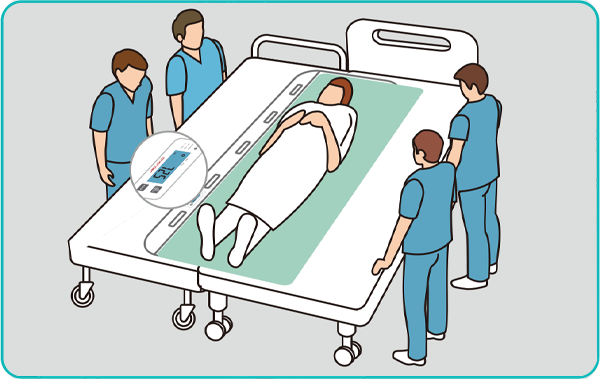
3 Roll patient onto PTS, and record the patient's height and weight.
To ensure accuracy, staff should not be touching patient or PTS
To ensure accuracy, staff should not be touching patient or PTS
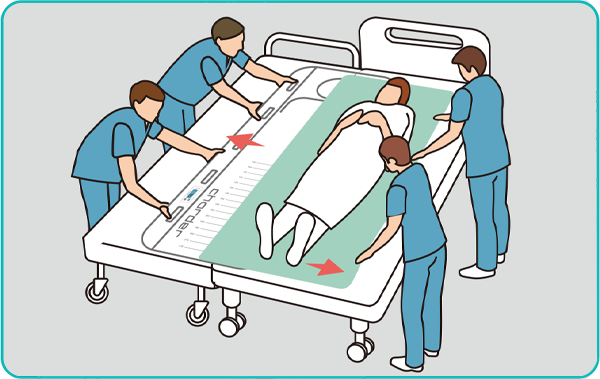
4 Carefully slide the Patient Transfer Scale out from under the patient
Use slide sheet to pull patient onto bed
Use slide sheet to pull patient onto bed
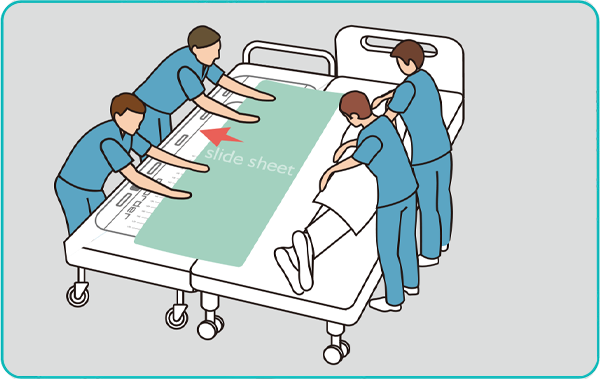
5 Help patient onto their side, and carefully pull slide sheet out from under patient
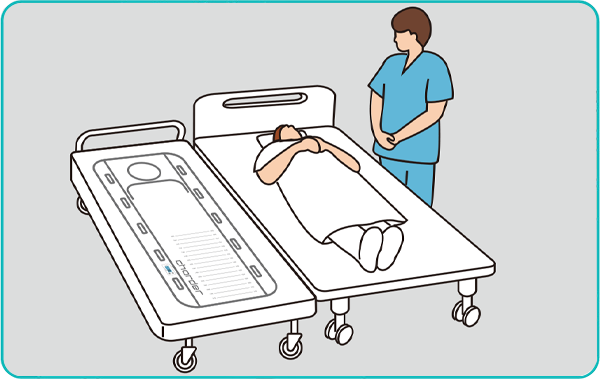
6 After measurement completion, patient can be removed from PTS
Specification
| Product model | MS7800 |
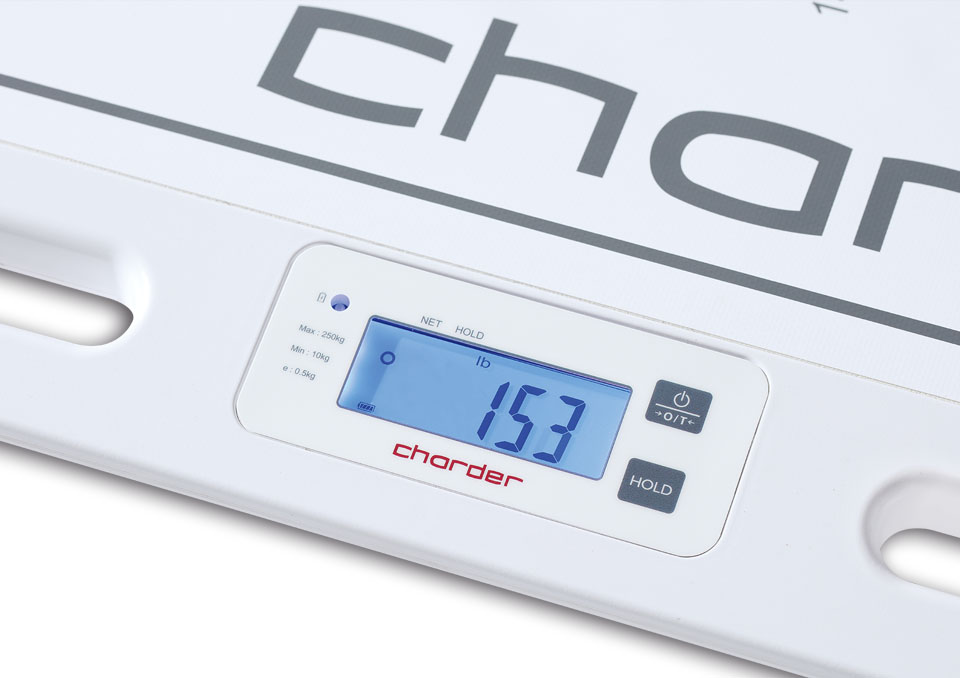
| Indicator |
Embedded:
27.7 (H) x 75.0 (W) mm
1.1 (H) x 3.0 (W) inch |
|---|---|
| Capacity | 250 kg |
| Graduation | 500 g |
| Dimensions |
Overall:
1800 (L) x 700 (W) x 30 (H) mm
70.9 (L) x 27.6 (W) x 1.2 (H) inch |
|
Measurement Platform:
1800 (L) x 510 (W) mm
70.9 (L) x 27.6 (W) x 1.2 (H) inch |
|
| Device Weight | 11 kg (24.2 lb) |
| Power Source |  Rechargeable Battery (Magnetic charging port) Rechargeable Battery (Magnetic charging port) |
Functions
| Product model | MS7800 |
| Functions |
|
|---|---|
| Key Functions | ON / OFF / ZERO, HOLD / UNITS (optional) |
| Design Features |
 Handle HandleEasily cleaned non-irritant skin-safe surface Measure weight as part of existing patient transfer procedure |
Download